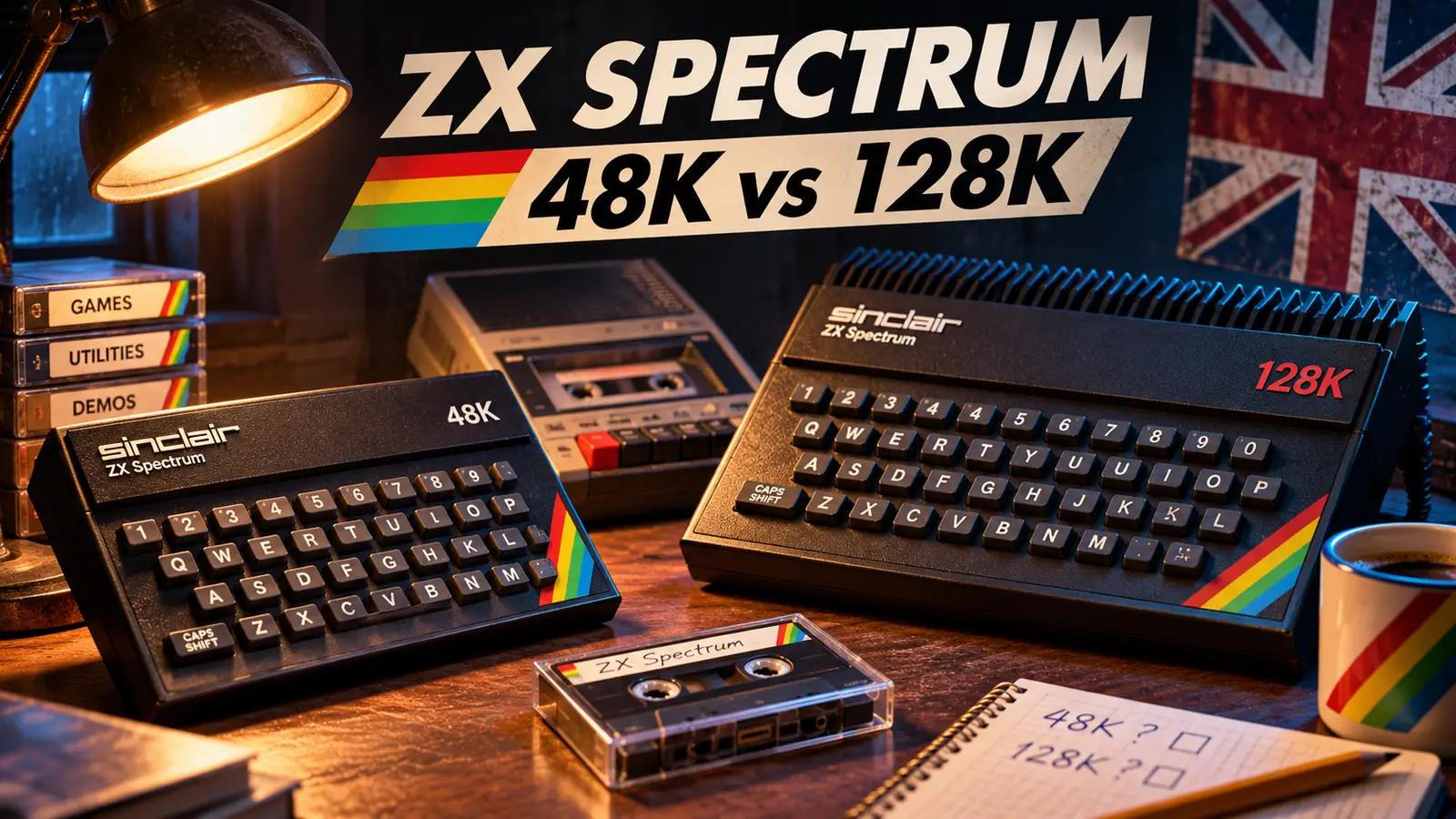
In the late 1980s, the same cassette could behave differently on two computers that looked much alike. Sometimes a game loaded, but short beeps played instead of music. Sometimes the screen went blank after the title screen, even though the program kept running. And sometimes no amount of fiddling with the tape recorder helped: the game simply needed more memory. Today, it is easy to recreate all these situations in an emulator by accidentally selecting the wrong model. To figure out what is going on, it helps to start not with the number of kilobytes, but by identifying the specific computer and the specific game release.
How to identify the model and choose a loading mode
The first ZX Spectrum appeared in 1982 in 16 KB and 48 KB RAM versions. The small case with rubber keys does not, by itself, guarantee that the computer has 48 KB: an earlier machine may have been upgraded. The 1984 Spectrum+ got a more convenient case and keyboard, but remained a 48 KB computer as standard. So a “+” without a number does not mean it is a 128K model. On a real machine, check the label and documentation, and, if necessary, the board revision; in an emulator, simply check the name of the active profile.
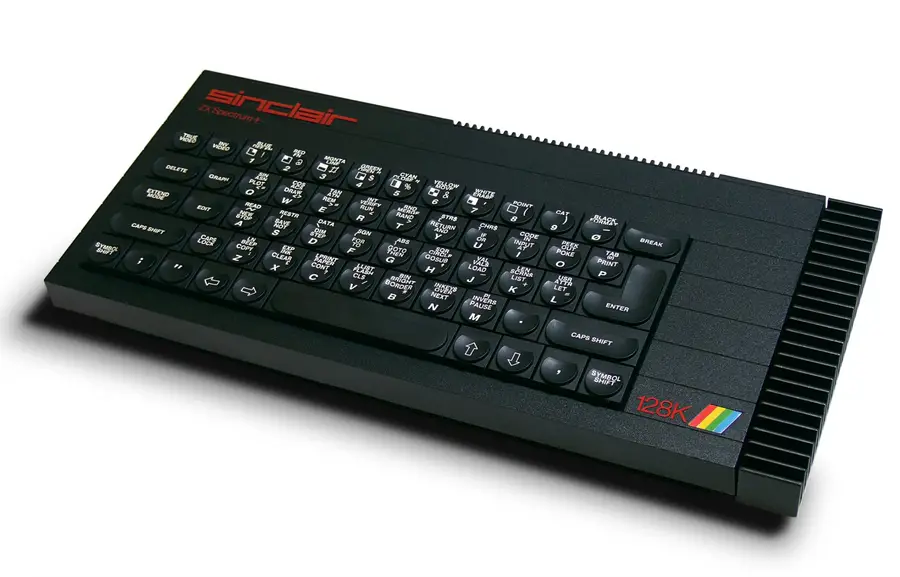
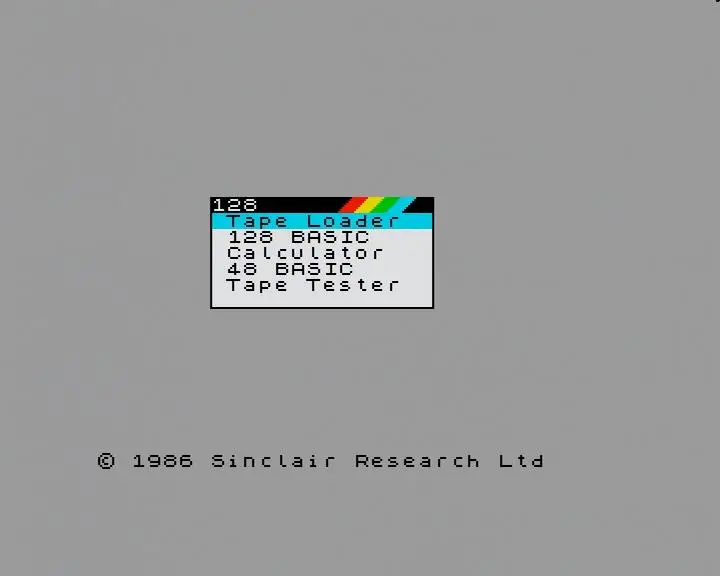
The original Sinclair ZX Spectrum 128 appeared in Spain in 1985 and in the UK in 1986. It is easy to recognize by its large, ribbed heatsink on the right, which earned the computer the nickname Toastrack. On the British version, the Tape Loader, 128 BASIC, Calculator, 48 BASIC, and Tape Tester menu appears after power-on. The menu is a useful diagnostic clue, though regional versions and clones may have different layouts and options. If a BASIC prompt appears immediately instead, it could be a genuine 48K machine or a 128K computer already in compatibility mode.
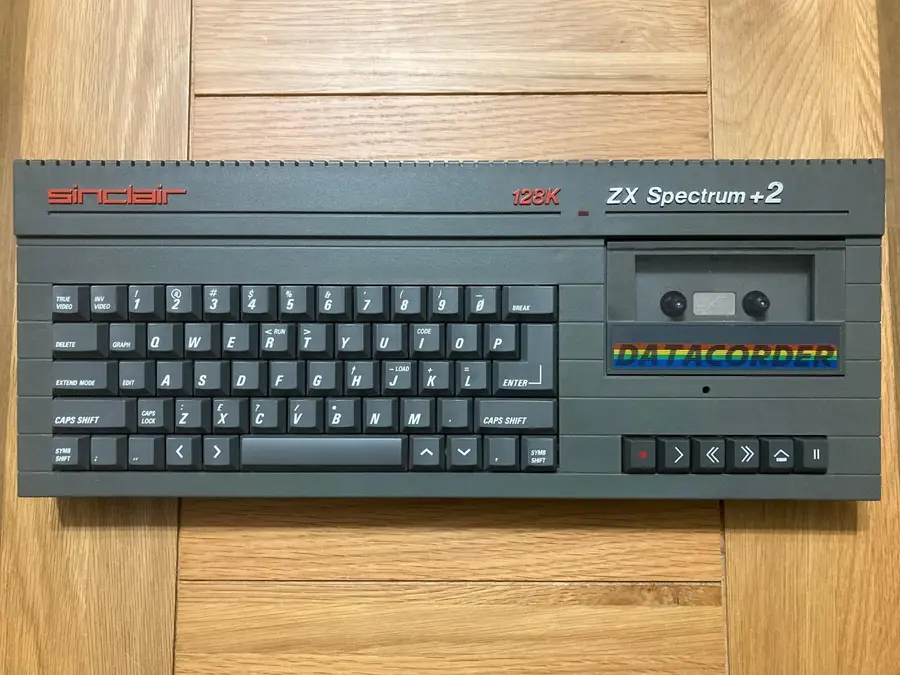
The Amstrad ZX Spectrum +2, released in 1986, has a built-in cassette recorder and usually a grey case. Its architecture is close to that of the original 128K. The black +2A, and the closely related +2B, belong to a later generation of hardware logic and ROM. The Spectrum +3, released in 1987, has a built-in three-inch disk drive. These machines should not all be lumped together under the name “128K” with the expectation of identical results. In particular, a program designed around features of the original Sinclair 128K may not work correctly on a +3.
On a 48K, the standard cassette-loading command is LOAD "". In the classic editor, enter the LOAD keyword by pressing J in command mode, then type two quotation marks, press ENTER, and start playback. On the original British 128K, games that use its extended features are usually loaded by selecting Tape Loader and starting the cassette. For older programs that need compatibility mode, first select 48 BASIC, then enter LOAD "". To return to full 128K mode, you will need to reset the computer: switching back is not a standard menu option within 48 BASIC. On the +3, the Loader option handles automatic loading from disk or cassette, as described in the Amstrad manual.
What changes for a program: memory, screen, and sound
The 8-bit Zilog Z80 has a 16-bit address bus. This means that the processor can directly access 65,536 addresses, or 64 KB. On a standard 48K, the first 16 KB of the address space is occupied by ROM, or read-only memory, which contains system routines and the BASIC interpreter. The remaining 48 KB is available as RAM, or random-access memory. The screen is stored there too. So the “48K” label does not mean all that memory is free for game code: some of it is used for the display and system data.
On the 128K, RAM is expanded to eight 16 KB banks. However, the Z80's address space remains unchanged. In the original 128K's standard mode, two RAM banks, numbered 5 and 2, are fixed in the 0x4000–0x7FFF and 0x8000–0xBFFF ranges. The final region, 0xC000–0xFFFF, can map any of the eight banks. Imagine a cabinet where only one folder at a time fits on the desk: the processor changes which folder is visible, while the others remain stored away. Bank switching uses a hardware register accessible through port 0x7FFD. The extra 80 KB does not become one continuous region that can be addressed with an ordinary Z80 instruction.
The expanded model lets programs store additional rooms, music, graphics, or other data in different banks. There is also a second screen buffer in bank 7, which a program can display instead of the regular screen in bank 5. This helps with certain animation techniques, but does not increase the resolution. In standard mode, both models produce a 256×192-pixel image, with colors assigned in 8×8 blocks. So the 128K does not automatically turn old games into more colorful versions. Any improvements depend on what the developers actually implemented.
The difference is much easier to hear. On the original 48K, sound is usually generated by a simple one-bit circuit known as the beeper. A program rapidly switches the signal to create sound effects or music. The 128K has a separate AY-3-8912 programmable sound generator with three tone channels, a noise generator, and an envelope generator. It can play parts simultaneously without requiring the processor to continuously generate every oscillation. But having an AY chip does not mean an early game will start using it on its own. It needs specially written music and control code.
If a program checks whether expanded memory is available, then after loading into 48 BASIC it may treat the computer as a regular 48K. Even a physically present AY does not guarantee enhanced music: that depends on the checks built into the game. Conversely, external AY interfaces for the 48K let some programs play music without expanded memory. So “AY” and “128K-only” refer to different requirements.
Why ROM, timing, and cassette are three separate issues
ROM is not a game file but the computer's system firmware. The original 128K has two 16 KB ROMs: one handles the extended mode, and the other provides compatibility with the earlier BASIC. The +2A and +3 have four such pages, as well as additional memory-mapping options. Some older programs call system routines at specific addresses or rely on undocumented hardware behavior. A newer ROM may break those assumptions. That is why the +3 profile should not be treated as simply a more advanced 128K profile.
Timing means the order and duration of hardware events, measured in processor cycles. On a British PAL Spectrum 48K, one TV frame takes 69,888 Z80 cycles; on the original 128K and the grey +2, it takes 70,908. The frame rates are close to 50 Hz, but video-beam position and memory-access delays differ. The ULA, a specialized video-system chip, accesses RAM at the same time as the processor; at certain moments, the processor has to wait. The +2A and +3 also differ in some of their wait-state patterns. Games that precisely time graphics or sound output can detect these differences even in 48 BASIC mode.
This leads to an important caveat: 48 BASIC disables normal use of the memory banks, but it does not turn a 128K into a physical duplicate of the 1982 machine. If there are problems in an emulator, it is more useful to select a separate 48K profile than to keep changing settings within the 128K profile. On real hardware, if compatibility mode does not help, look for a fixed release of the program or use the original model.
The media is another independent variable. A cassette stores a sequence of audio signals that encode data. There is no special “128-kilobyte” magnetic tape: what can differ is the recorded program, its loader, the number of blocks, and their destination addresses. A game's title screen often loads before its main code, so seeing an image does not confirm compatibility. If loading stops at the same block every time, check the tape condition, volume, cable, and tape-head alignment. With a digital image, disable accelerated loading, which may not work with non-standard loaders.
In emulation, TAP files contain data blocks for common loading methods, while TZX can represent pulse details and loader protections more precisely. Both formats can contain programs for 48K and 128K. SNA, Z80, and SZX are machine-state snapshot formats; they save an already running program and may include information about the required model. DSK is a disk image, not a cassette. For a +3 disk, select the corresponding profile and a virtual disk drive. You cannot determine the required memory solely from the file size on a modern computer.
Three games that clearly show the difference
Jetpac (Ultimate Play the Game, 1983) is an example of an early game that needs only 16 KB. It is not strictly 48K-only in terms of memory, but it is a useful example of why the 48K profile is preferable for older software. As Spectrum for Everyone explains, when loaded in expanded mode on a standard 128K, the game can show a blank screen while sound and internal activity continue. The cause is a write to port 0x7FFD: on an early model, that write does not correspond to a bank-switching register, but on the 128K it can switch the display to an empty second screen. This is not a video-cable problem or a damaged game. For the standard cassette release on a Sinclair 128K, reset the machine, select 48 BASIC, and load the cassette with LOAD "". In an emulator, it is easier to select 48K from the start. Different fixed versions of Jetpac may behave differently.
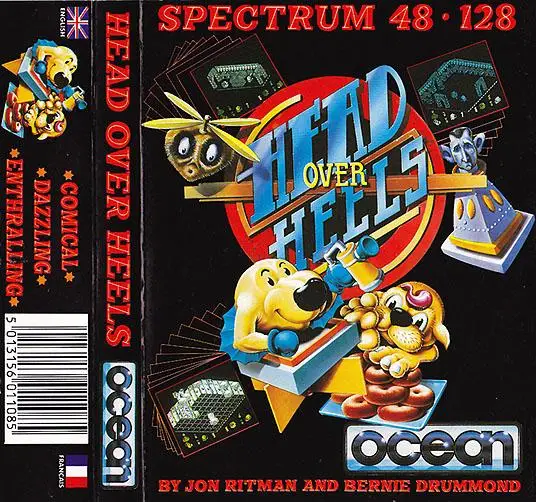
Head over Heels (Ocean, 1987) is an example of a 128K-enhanced game, meaning one with improvements for the expanded model. The original manual explicitly states that it runs on 48K and 128K, with the expanded model improving the sound. Looking for a separate modern remaster only adds confusion: this is one classic release designed for two configurations. Use standard cassette loading for 48K and the regular Tape Loader for 128K. The game has sound settings. When comparing playthroughs, do not claim there are extra rooms or a new story: CRASH magazine's 1987 review specifically noted that the 128K version had no gameplay expansion. The music is a useful test, but only after checking the selected settings.
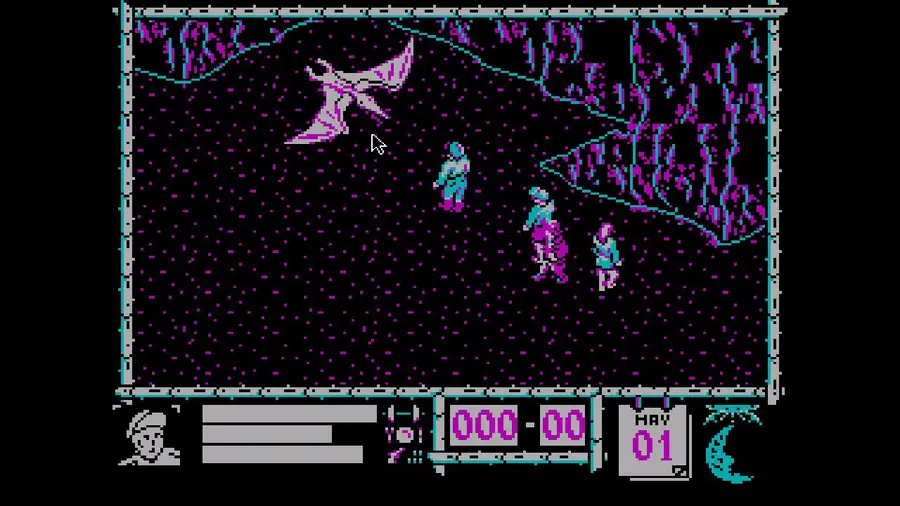
Where Time Stood Still (Ocean, 1988) illustrates a third case: the original release requires 128K. It is an isometric adventure by Denton Designs in which the player guides a group of survivors through dangerous terrain. The World of Spectrum archive and the Centre for Computing History museum classify it as 128K-only. For the cassette release, select the original Sinclair 128K and Tape Loader; for the +3 disk release, use the +3 profile and Loader. On a regular 48K, having the file and successfully loading the title screen cannot make up for the missing memory banks. The archive also mentions a report of a possible 48K conversion, but there is no reliable confirmation that it exists. So a rumor should not be presented as an actually available release.
A 48K label on an old cassette often indicates minimum requirements, not guaranteed incompatibility with every later computer. At the same time, a 48/128 label may mean one file that automatically selects the mode, or different recordings on the same cassette. Check the instructions for the specific release and the labels on sides A and B. If an archive contains several files with the same name, compare the publisher, year, language, and media type. A modified loader or later fan-made port can change the requirements regardless of the original release.
How to choose a Fuse profile and avoid confusing a clone with the original
Fuse (Free Unix Spectrum Emulator) offers separate profiles for 48, 128, plus2, plus2a, and plus3; its documentation also lists 16, 48_ntsc, and clones. NTSC is a different television standard, so a PAL 48 profile is the default choice for a British cassette. In the desktop Fuse interface, choose the model through Machine, Select; the names and location of some options depend on the graphical build. From the command line, use the --machine 48 or --machine 128 option. These options were checked against the Fuse documentation in Debian trixie, available in November 2026.
If a game or demo is designed for Pentagon, do not select it just because its name includes 128. Clones have their own timings, expansion schemes, and sometimes the TR-DOS disk system. They matter for reproducing the post-Soviet demoscene and the relevant software versions, but they are not universal substitutes for the Sinclair 128K. The same applies to additional interfaces and accelerators: disable them for the first diagnostic run.
Here is a troubleshooting sequence for Fuse. First, select the profile specified by the original instructions and reset the machine. Then open the cassette image using File, Open with automatic loading enabled, or attach it through Media, Tape, Open. If you need 48 BASIC on a 128K, it is easier to disable Auto-load media, select the mode manually, and start loading. For an older game without extra requirements, you can select the 48 profile immediately. If it fails, check the image type, disable loader acceleration, and try again after a reset. If a regular 48K file does not work on a 128K, do not immediately switch ROMs: first compare its behavior with a clean 48K profile.
When checking music, make sure sound is enabled in the emulator and in the game menu, and that the selected profile includes AY. Once loading succeeds, check more than the title screen: play for a few minutes, move to the next room, and test the controls and sound. Save a snapshot only after that, and label it with the selected model; otherwise, it will be hard to figure out later why the same archive behaves differently on another profile. A useful set of profiles is 48K PAL for early software, original 128K for enhanced cassette releases, +3 for its disks, and a separate profile for a particular clone when the release requires one.
The name ZX Spectrum covers not one configuration, but a whole historical line of computers. Choosing a model is not a contest in computing power; it is an attempt to recreate the conditions the program's author expected. A successful launch is one where the game behaves correctly: the image does not disappear, the music sounds as intended, and later levels load without surprises. That is the value of accurate emulation: it preserves not just the pixels, but the character of the specific hardware.
Reference
• The ZX Spectrum 48K has 48 KB of RAM and 16 KB of ROM; some RAM is occupied by the screen and system data.
• The original Sinclair 128K uses eight 16 KB RAM banks and an AY-3-8912 sound chip.
• 48 BASIC is a compatibility mode, not a complete hardware copy of the original 48K.
• The grey +2 and black +2A have different hardware architectures; the +3 has a built-in three-inch disk drive.
• Jetpac (1983) is designed for 16K/48K, Head over Heels (1987) for 48K/128K, and the original release of Where Time Stood Still (1988) for 128K.
• Fuse lets you select separate profiles for these models; the cassette format alone does not determine RAM requirements.