First, check what’s included: the original game and two expansions
Heroes of Might and Magic III has a problem you can’t spot from screenshots: two similarly named editions contain different amounts of the game. Heroes III Complete is not the same as Heroes III HD Edition. The former is the classic game with its expansions; the latter is a separate official remaster of only the original 1999 release. The missing expansions don’t become available just because you have a modern monitor.
The original The Restoration of Erathia tells the story of Erathia and includes the core rules, towns, heroes, scenarios, and map editor. The first expansion, Armageddon's Blade, came out in 1999 and added new campaigns and mechanics, including the Conflux town, as well as a random map generator. The Shadow of Death followed in 2000, adding another substantial set of campaigns, scenarios, and features. Complete bundles the base game and both expansions.
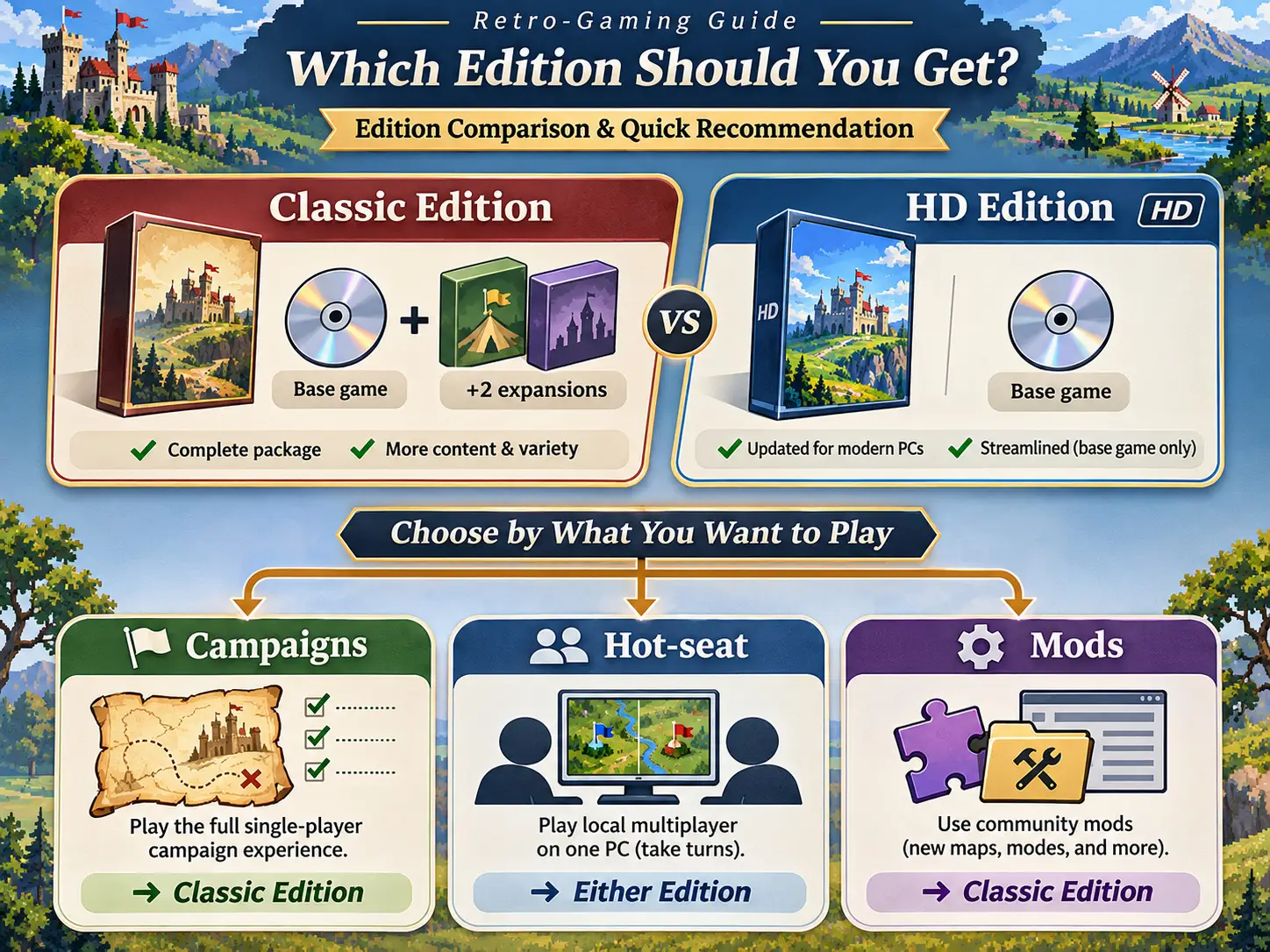
Ubisoft’s Heroes of Might & Magic III – HD Edition, released in 2015, is based on The Restoration of Erathia. On its Steam page, the publisher explicitly calls it a remaster of the original game and lists seven campaigns, around fifty individual maps, local multiplayer, and an editor. That’s an important detail: HD Edition is not a complete modern edition of all Heroes III content. It does not include the Armageddon's Blade or The Shadow of Death campaigns, nor the original random map generator added in the first expansion.
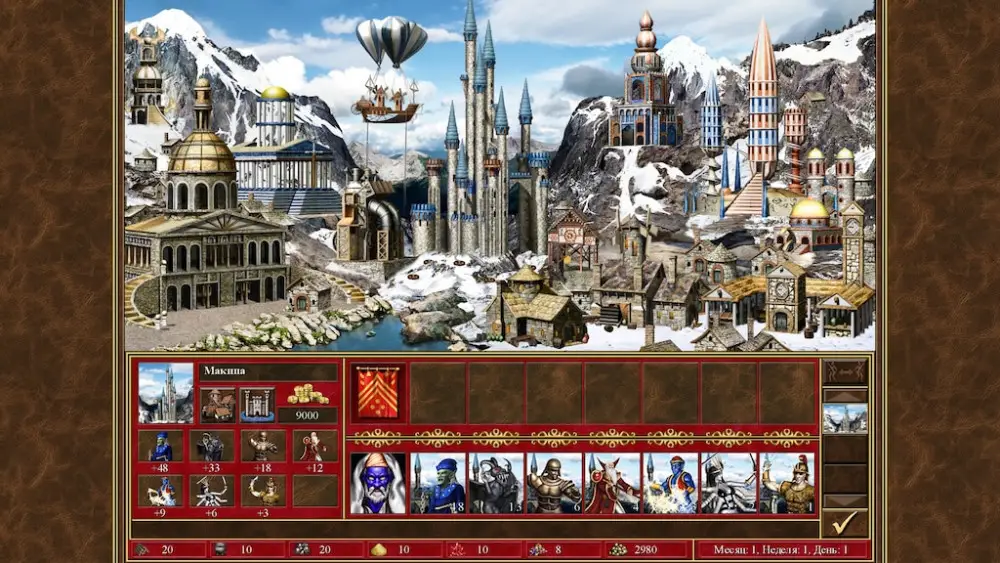
When choosing, look beyond the word HD and check the exact edition name in the store library. “HD” might refer to Ubisoft’s official game or to HD Mod, a free fan-made add-on for the classic version. These are fundamentally different products, with different base games and compatibility. If the store description says “HD Edition” and “based on The Restoration of Erathia,” it’s the Ubisoft remaster. If it says “Complete” and lists both expansions, it’s the full classic bundle.
As of November 2026, GOG offers Heroes of Might and Magic 3: Complete with both expansions and a separate offline installer. It’s a convenient reference point for checking what’s included, but it isn’t the only possible store: the list of official distribution options changes, so check the contents and requirements again before buying. Price, discounts, and regional store features don’t determine which edition is technically better for a particular purpose.
Campaigns, map editor, and generator: what you get after installation
Suppose you want to play through the complete official story, rather than just get a feel for the mechanics. The answer is simple: you need Complete. You’ll get the campaigns from the base game and both expansions, along with a broader selection of scenarios. With HD Edition, you can play through Restoration of Erathia in full, but you’ll have to find another edition for the continuation. You can’t just switch on the missing official content with a setting in the remaster.
Another scenario is creating your own map. Here it’s important to distinguish between the scenario editor and the random map generator. The editor lets you manually place towns, roads, mines, guards, and event conditions. It’s included in the base game, and therefore in HD Edition too. The generator creates a map from a set of parameters and random elements; it first appeared in the classic series with Armageddon's Blade. For anyone who likes starting a new, unpredictable game without preparing a map by hand, that gives Complete a significant advantage.
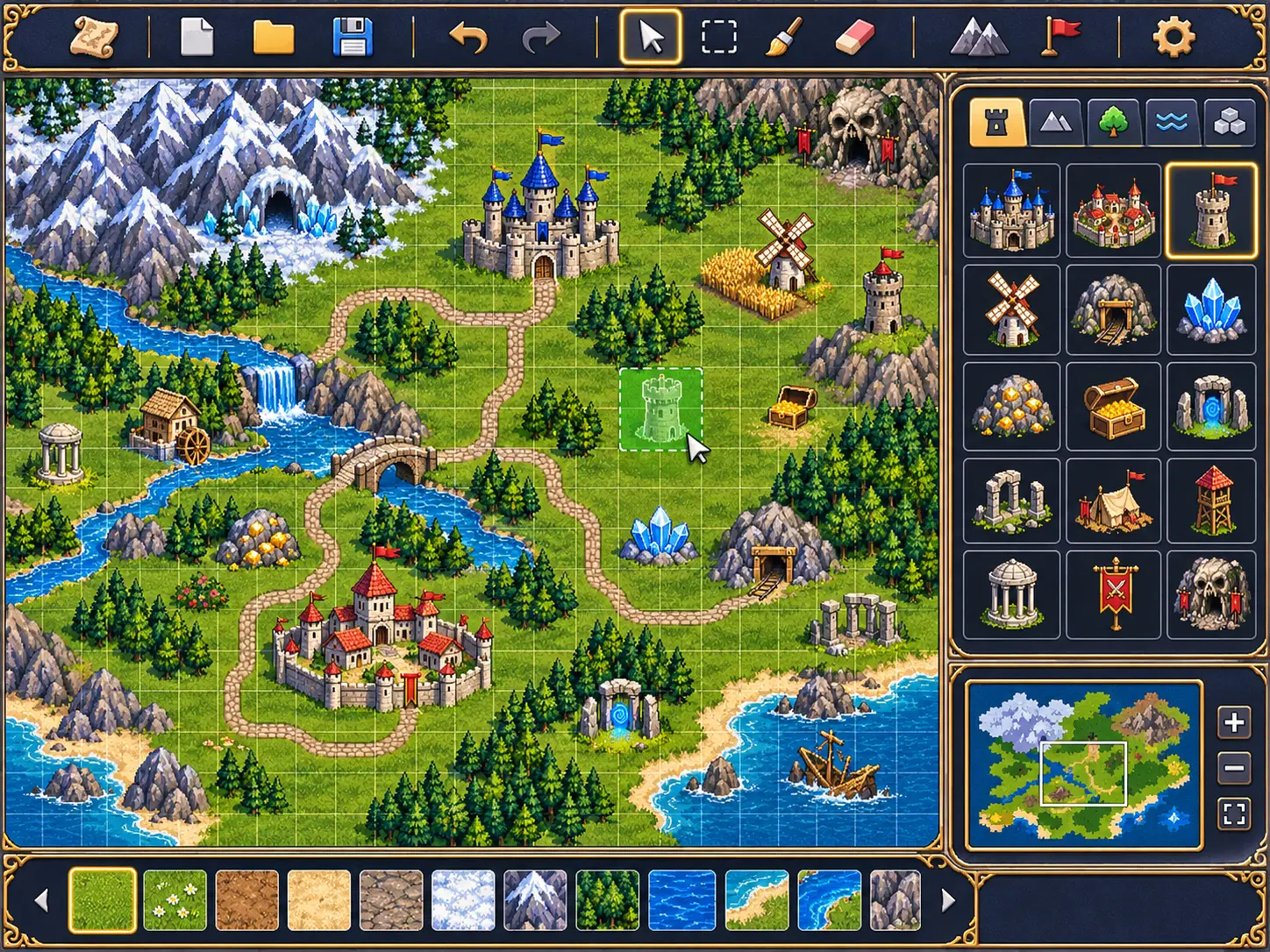
The expansions also developed the tools available to creators. You can design more complex missions, create scenarios with specific heroes and resources, and use events and restrictions. However, don’t assume that every custom map will automatically work in every edition. If its creator used objects, rules, or towns from Armageddon's Blade and The Shadow of Death, an editor for Restoration of Erathia alone won’t recognize them. Such maps usually need the corresponding classic game edition.
The practical way to check is straightforward. First, read the map description to see which edition it was made for: RoE, AB, SoD, Complete, or HotA. Then check that your installed game includes the required expansions. Don’t replace files with random downloads from the internet, and keep a separate backup of your custom maps. This is especially important for old fan-made collections: an archive labeled “for Heroes III” tells you almost nothing about specific compatibility.
If all you want is to play one familiar campaign and you don’t plan to open random scenarios, HD Edition isn’t a bad game. It simply meets a narrower need. Its advantage is an official version of the original Restoration of Erathia, with updated visuals and an interface adapted for newer screens. The problem arises when buyers expect the entire Complete catalog based on the similar name.
Playing two players on one computer: fewer differences than you might think
The easiest way to play Heroes III with another person is hot-seat: a local game where players take turns using the controls. Both players use the same computer. The first finishes a turn, then the next player takes over; when the turn changes, each player sees their own side of the game. This mode is confirmed by the original manual and Ubisoft’s description of HD Edition, while GOG’s Complete page also lists local multiplayer.
This leads to a surprisingly simple conclusion: you don’t have to buy HD Edition just to play with another person. Complete also lets you have an evening game on the same screen. If you plan to play without mods and the base maps are enough for you, either edition will do the job. But if you want expanded factions, random maps, and the full range of classic features, Complete has the advantage again. Don’t confuse hot-seat with an online lobby: local play doesn’t require servers or two copies of the game on separate computers.
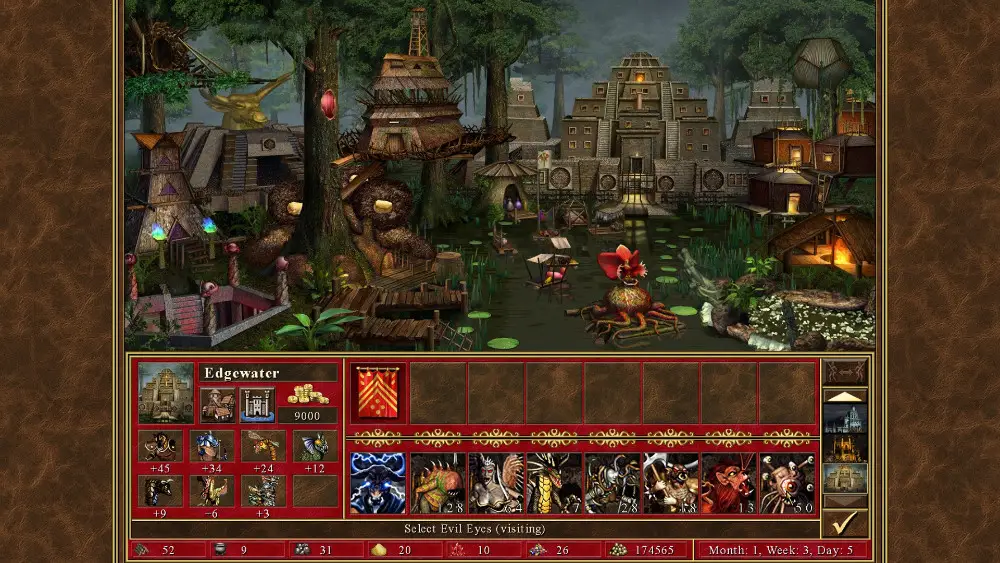
Before you start, it’s helpful to agree on two rules: whether alliances are allowed and how you’ll handle hidden information on the map. Then just select a multiplayer game, choose the players, and pick a suitable scenario. Menu names may differ between releases, so check instructions from old forums against your version. If you want a completely even start, choose a map designed for the number of players and check its description.
Online play is more complicated. The official remaster has its own online features, which depend on the distribution platform, while the classic series can be played through the network modes built into the game or with community solutions. There’s no guarantee that two different editions will connect to each other or that any online services will remain available indefinitely. If your goal is to play regular games over the internet, first check which edition your partner has and which specific connection method you’ll both use.
For hot-seat at home, differences between modern online services usually don’t matter. The length of the game does, though. A medium-sized map can take several hours before you know it, while large scenarios may stretch across several evenings. Save your game and agree in advance how many turns you plan to play. That way, the retro strategy remains a convenient shared game instead of turning into an endless wait for your opponent to make a decision.
HD Mod and Horn of the Abyss: HD means something different here
A separate ecosystem of enhancements has grown around Heroes III. HoMM3 HD, more commonly called HD Mod, is a free fan-made add-on for the classic game. According to the project documentation, it changes the resolution, adds interface conveniences, and fixes some bugs while keeping the original visual style. The developer’s website lists it as compatible with The Shadow of Death, Complete, and Horn of the Abyss. The original The Restoration of Erathia without expansions and Ubisoft HD Edition aren’t included in this compatible group.
This distinction is fundamental: HD Mod isn’t a pirated patch for HD Edition, and it doesn’t “unlock” the two official expansions in that edition. It works with different files, built on the classic branch of the game. So the plan “I’ll install HD Edition and then HotA” won’t work. It’s much safer to start with Complete or a suitable version of The Shadow of Death, then add the necessary tools strictly according to their creators’ instructions.
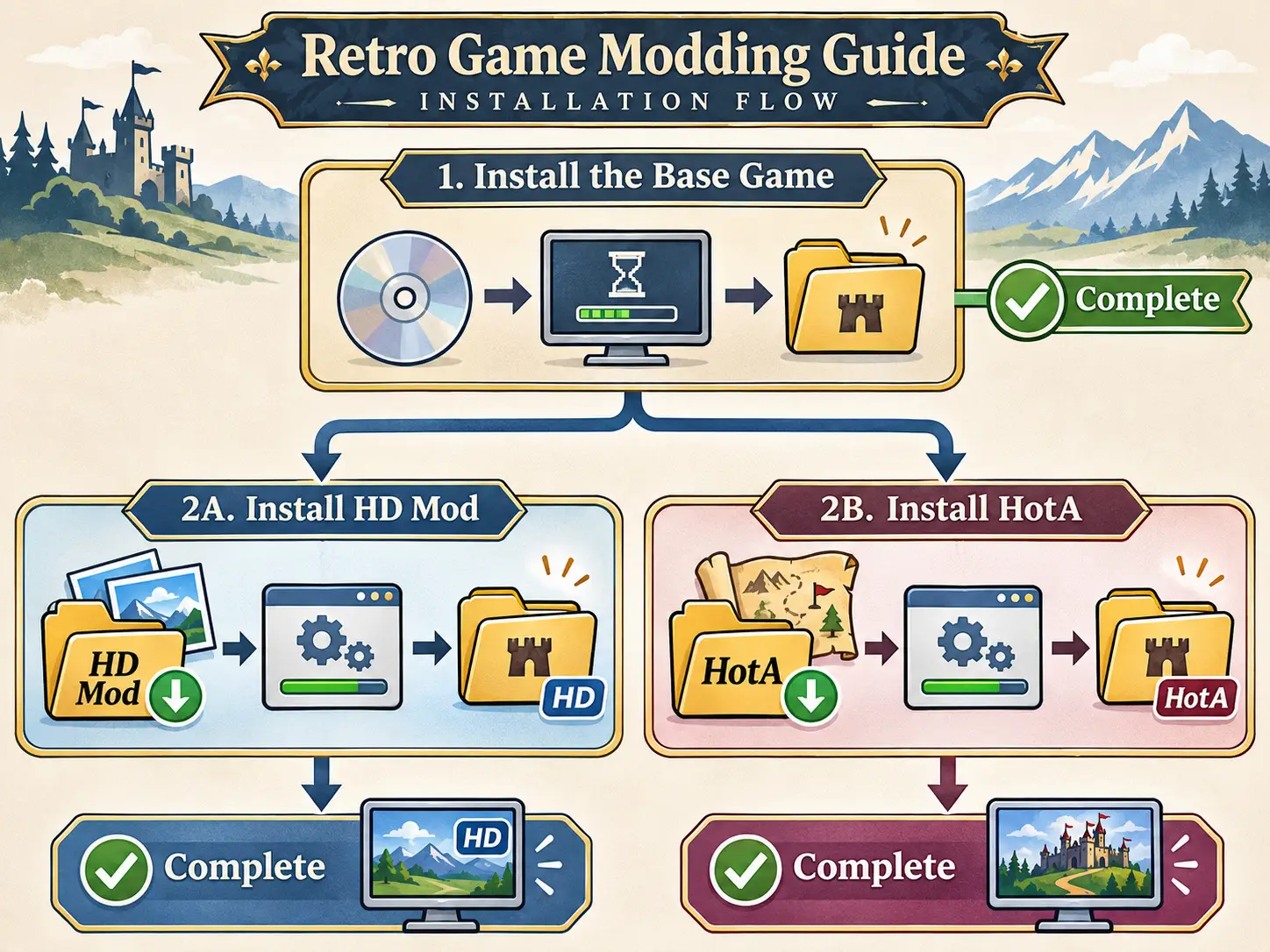
Horn of the Abyss, or HotA for short, is a major fan project that expands the rules and content in the spirit of the original. On the official download page, its creators explicitly say that HotA installs over The Shadow of Death or Complete, and separately prohibit installing it over Ubisoft HD Edition, Restoration of Erathia, or Armageddon's Blade as standalone base games. This isn’t a cosmetic issue: the mod expects specific game assets and executable behavior. An incompatible package may simply fail to launch.
If you’re new to mods, this is a sensible approach. Install a clean copy of Heroes III Complete. Make sure the standard game launches and creates a save. Copy the game folder or save the original installer, then visit the official HD Mod or HotA website. Read the requirements for the specific version you’re downloading, not for some random archive from years ago. Install to a separate folder if the documentation recommends it, and test it first with a single-player scenario.
HotA and HD Mod versions change over time. So when preparing this article in November 2026, it’s more important to point to the current download source and compatibility rules than to list a build number that may soon be outdated. Don’t download mods from unknown ad-supported mirrors, even if their names match a popular project. Both the integrity of the files and the security of your system depend on it.
In short, “HD graphics” and “mod compatibility” aren’t the same advantage. Ubisoft HD Edition offers an official remaster of the base game. Complete plus HD Mod preserves the classic foundation and provides a wide range of interface settings. Complete plus HotA is aimed at expanded community play. These are three distinct paths that may appeal to overlapping audiences, but they’re not fully interchangeable.
Three recommendations: campaigns, a two-player evening, and mods
First scenario: you want to play everything New World Computing released for Heroes III. Choose Complete. After installing, make sure Restoration of Erathia, Armageddon's Blade, and The Shadow of Death are available. If the screen looks too small on a modern monitor, consider HD Mod by following the official instructions. You’ll keep all the original content, and you can add extra tools without changing the base edition.
Second scenario: you want to revisit the first campaign with another person on the same computer, and you don’t care about the expansions. Either edition is a valid choice. Ubisoft HD Edition may be more convenient if you like its visual treatment; Complete is the more practical option if you might want random maps and new content later. Check with the other player before buying to see whether you plan to use custom scenarios: they can quickly change your decision.
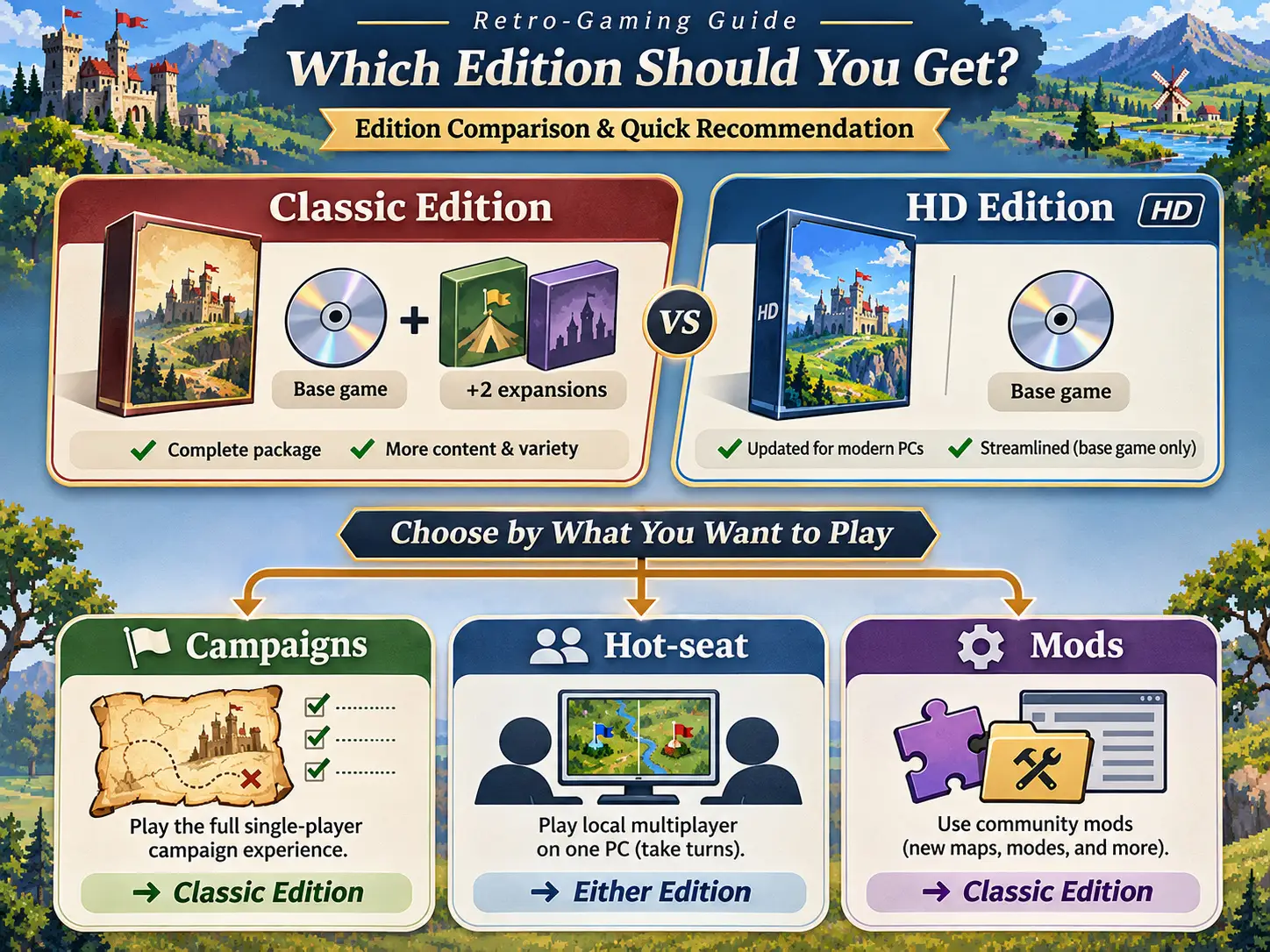
Third scenario: you want HotA, expanded settings, or modern community multiplayer options. Start with Complete and check the HD Mod and HotA websites. Don’t buy HD Edition for these purposes. If the game is already installed, first identify which branch you have by checking the exact name in the menu or store library; then check the specific mod’s compatibility. A clear sequence saves more time than trying to “fix up” an unsuitable edition.
The shortest way to put it is this: Complete is for breadth and flexibility; HD Edition is for an updated look at the base game only; and HD Mod and HotA aren’t extra names for the official remaster but independent fan projects with their own requirements. Once you understand these terms, you won’t have to wonder why a familiar scenario won’t launch or where the map generator went.
Quick reference
• Heroes III Complete includes The Restoration of Erathia, Armageddon's Blade, and The Shadow of Death.
• Ubisoft HD Edition is based on Restoration of Erathia and doesn’t include the two official expansions.
• The map editor is in the base game; Armageddon's Blade added the random map generator.
• Hot-seat is available in both the classic game and Ubisoft HD Edition.
• HD Mod is a fan-made add-on for The Shadow of Death, Complete, and HotA, not Ubisoft HD Edition.
• Horn of the Abyss’ official documentation requires The Shadow of Death or Complete as its base game.