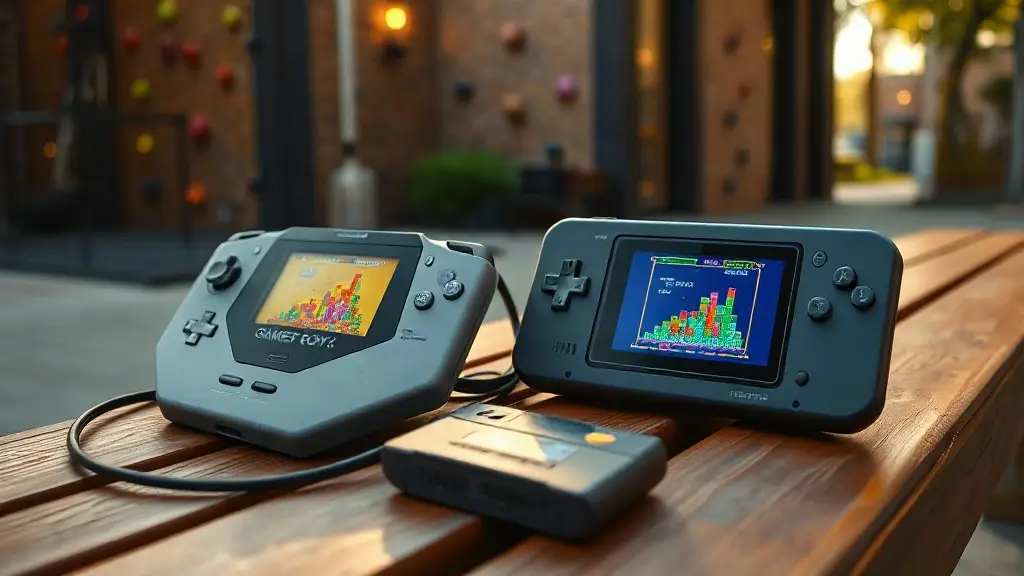
Recently, I sat outside my local climbing gym with a friend and tried to trade for a spare Mew on his Pokémon Blue cartridge, so I could add it to my Pokémon Red game. Shoutout to Cris. Our Chromatics were connected by a dreadful link cable that simply refused to cooperate. A better cable might have solved it, but Shiny Relay can now link Chromatics over Wi-Fi—meaning I could get that Mew quickly and still fit in a couple of hours of climbing before the gym closed.
Shiny Relay is a new Chromatic add-on that recreates Game Boy Link Cable functionality over Wi-Fi. It also lets users install games and apps on the Tetris cartridge bundled with the Chromatic, without needing a flash cart.
Wireless play through the Chromatic’s built-in hardware
Several projects of this kind have started appearing recently. The Chromatic has been open-source since launch, but developers are only now beginning to build tools such as Shiny Relay. With it, there’s no longer a need for a link cable: install Shiny Relay on the handheld, then create a free Shiny Gen account if you want to connect over Wi-Fi.
Shiny Relay makes local and online wireless multiplayer possible, and adds a way to put ROMs on the ModRetro Tetris cartridge over USB—along with free games and internet apps such as weather and maps.
Shiny Relay is custom firmware installed through a browser. It runs using the Chromatic’s FPGA and ESP32 Wi-Fi chip. If you want to restore the firmware that originally shipped with the handheld, ModRetro offers a free updater for download on its website. The Chromatic already has Wi-Fi built in; the feature became apparent when we opened the system during our initial review. Shiny Relay uses that chip to carry the link connection: Chromatics form their own network, and the game behaves as though a cable is plugged in.
Testing on real hardware has produced no problems with Pokémon trades or multiplayer games. The feature is ready to use, including transferring games to the Tetris cartridge and restoring Tetris afterward from a backup.
Putting games on the included Tetris cartridge
Installing Shiny Relay games on the Tetris cartridge is especially useful for owners without a flash cart. The available titles take inspiration from well-known games, including Shiny Monsters Color and Shiny Kart Color, and users can also put their own ROMs on the cartridge. Back up Tetris first and it can be restored whenever you like. Installing a new game takes around 2 to 8 minutes.
Here’s the process for adding a game to the Tetris cartridge:
• Choose. Select what to install: a free Shiny Gen game or app, the PARTY BATTLE patch for Tetris, or the + cartridge option for a personal .gbc or .gb game file.
• Connect. Click Connect and select Chromatic - Player 01. Click Connect again and choose GWU2X. Chrome asks twice because the Chromatic appears as two devices; it will also request GWU2X again on every visit.
• Prepare. Select Prepare my Chromatic. This takes about 1 to 2 minutes, during which the Chromatic restarts twice. It enables temporary cartridge access; nothing is installed at this stage.
• Back up. Click Back up my cartridge, then save both the game file and the save file. Keep the two files together: they’re what let you restore Tetris. You can skip this step, but the cartridge’s current game cannot then be restored through this page.
• Install. Click Install, enter INSTALL, then select Start. Leave the cable connected and the Chromatic powered on until the page confirms completion.
• Power cycle. Once the page says Done, switch the Chromatic off, wait 2 seconds, and turn it back on.
The games currently available are:
• Shiny Monsters Color
• Shiny Kart Color
• Shiny Farm Color
• Shiny Village
• Shiny Rides
• Shiny Fighter Color
• Shiny Crosser
• Spark Garden
Internet apps for the handheld
Several internet-connected apps can also be added to the Chromatic:
• Shiny Almanac — weather, clock, calendar, and world map
• Daily Trace — a daily puzzle played around the world
• Shiny Canvas — a shared canvas for people worldwide to paint on
• Pick A Side — a daily poll
• Dispatch — posts from ModRetro
Shiny Relay is available to install online, with no app installation required.
Source: Retro Dodo