A new community-made menu aims to improve the experience of using optical drive emulators (ODEs) on the 3DO. It supports Fixel’s internal FZ-1 ODE, the external XPort and SataTo3DO-based clones, bringing a common interface to several widely used options.
The menu was created after a decompilation of Fixel’s original boot.iso menu system made it possible to build an alternative. Its developer describes the existing interface as slow and limited, with forced background music and a garish wallpaper.
Artwork tools and original utilities
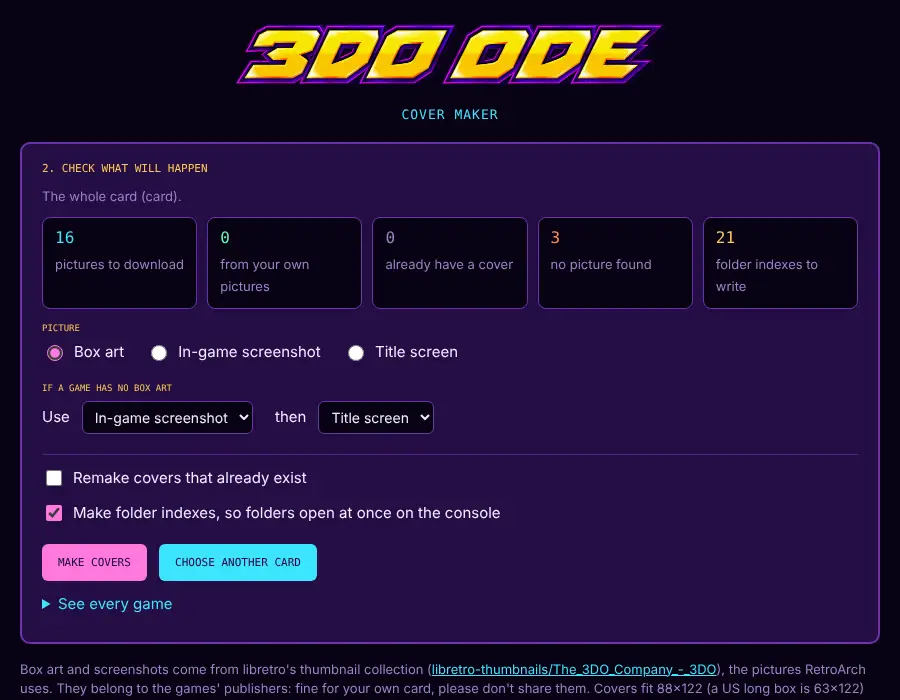
Two companion tools are designed to simplify adding artwork: a browser-based Cover Maker for Chrome and Chromium, and a Python script for users who prefer a terminal or another browser. They scan an SD card, fetch box art, screenshots or title screens from Libretro’s GitHub, convert images to an optimized format, and place them in the right folders.
The new menu pairs a more streamlined interface with tools that take much of the busywork out of adding game artwork.
The original menu utilities remain available, including NVRAM save and load, ROM and RAM dumps, ODE firmware updates, Storage Manager and device information. The menu also supports PAL consoles, keeping the display centered and running at the same speed as on NTSC systems.
A note on 3DO ODEs
An ODE replaces a console’s optical drive with storage such as an SD card or USB device. On the 3DO, the menu is the software layer used to browse and launch games stored through the ODE; compatibility depends on the particular hardware design.
The creator says other clones may or may not work, and that support could be added as they are identified. The menu and its artwork tools are available from the project’s GitHub repository.
Source: RetroRGB